
GigaToken with GLM-5.2: Setup, Benchmarks, and Limits
Independent research — not an official Z.ai publication.Identity and provider disclosure

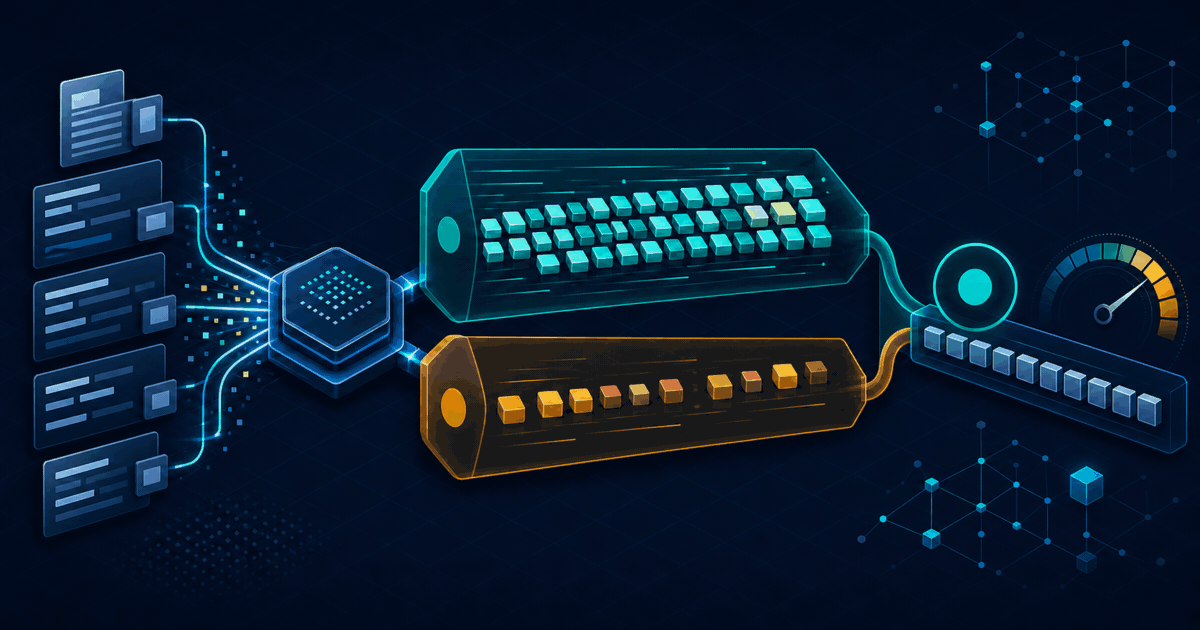
GigaToken arrived with a striking claim: language-model tokenization at gigabytes per second and, in one GPT-2 server test, nearly a thousand times the throughput of Hugging Face Tokenizers. That headline does not automatically describe GLM-5.2, your CPU, or your data pipeline.
The useful question is narrower: can GigaToken load GLM-5.2’s exact tokenizer, return matching IDs, and save meaningful preprocessing time on your corpus? We reproduced that path, published the command and raw measurements, and kept it separate from the project’s much larger author-reported benchmark.
Tokenizer test map
Section titled “Tokenizer test map”- What GigaToken changes
- Freeze the versions before testing
- Run the GLM-5.2 parity benchmark
- What we measured
- What the publisher measured
- Why the speedups differ
- Convert throughput into a decision
- Choose the native or compatibility API
- Troubleshoot mismatches and slow runs
- Adopt it without corrupting a dataset
- Sources and test boundary
What GigaToken changes
Section titled “What GigaToken changes”A tokenizer converts text into integer IDs before a language model consumes it. Bulk dataset preparation may tokenize billions of documents, build packed sequences, calculate length distributions, or reject samples above a limit. Those CPU-heavy jobs are GigaToken’s target.
GigaToken does not change GLM-5.2’s weights, attention kernels, expert routing, prefill, decoding, answer quality, or hosted API. If you send prompts to Z.ai, the provider performs tokenization inside its own service. Replacing a local Python package cannot accelerate that remote request.
This distinction matters because “tokens per second” describes two different measurements:
- tokenizer throughput: how quickly a CPU converts source bytes into token IDs;
- model throughput: how quickly an inference system processes or generates those tokens.
Our GLM-5.2 benchmark hub tracks model and provider speed. This page tests only the first measurement.
Freeze the versions before testing
Section titled “Freeze the versions before testing”GigaToken was moving quickly when checked. PyPI lists version 0.9.0 as a beta release published July 21, 2026, with Python 3.10 or newer and an MIT license. Our test used:
| Component | Frozen value |
|---|---|
| GigaToken | 0.9.0 |
| Hugging Face Tokenizers | 0.23.1 |
| Reviewed GigaToken repository | commit ecf968d |
| Model repository | zai-org/GLM-5.2 |
| Tokenizer snapshot | b4734de4facf877f85769a911abafc5283eab3d9 |
| Host | Intel Core i7-10700F, 8 visible cores |
| Corpus | 3,359,610-byte English plain text, split on newline |
The official GLM-5.2 repository supplies the tokenizer files; no model weights or API key are needed for this check. We paired GigaToken 0.9.0 with Hugging Face Tokenizers 0.23.1. Pin the package and tokenizer revision in a production job. A mutable model name is convenient for exploration, but it is not a reproducible data artifact.
Run the GLM-5.2 parity benchmark
Section titled “Run the GLM-5.2 parity benchmark”You can run the benchmark in an ephemeral environment with uvx. Replace corpus.txt with a representative, non-sensitive sample and choose its real document delimiter:
uvx --with tokenizers \ gigatoken bench 'zai-org/GLM-5.2' corpus.txt \ --validate \ --doc-separator $'\n'Do not omit --validate during adoption. Throughput is irrelevant if the replacement changes token IDs. Keep the delimiter consistent with the file format; a newline is wrong for multiline JSON records, and <|endoftext|> is wrong unless it is the actual separator.
Our downloaded corpus was Project Gutenberg’s UTF-8 War and Peace text, SHA-256 2d5bb2ad…d1b2b. It contained 66,041 lines. English literary prose is easy to reproduce, but it does not represent source code, CJK text, malformed Unicode, embedded special tokens, or your packing policy.
What we measured
Section titled “What we measured”After one warm-up, we ran the same command three times. Every run reported validation OK: 66041 documents match.
| Run | GigaToken | HF Tokenizers | CLI-reported speedup | Parity |
|---|---|---|---|---|
| 1 | 80.27 MB/s | 5.15 MB/s | 15.58× | Passed |
| 2 | 86.63 MB/s | 4.92 MB/s | 17.61× | Passed |
| 3 | 87.85 MB/s | 5.50 MB/s | 15.98× | Passed |
The warm-up measured 68.01 versus 3.99 MB/s, or 17.06×. We excluded it from the range above because dependency initialization and cold caches make a short 3.3 MB file especially sensitive to startup overhead.
The structured validation record preserves the command, versions, corpus hash, all four outputs, calculation and exclusions. This is one host and one corpus, not a claim about every deployment.
What the publisher measured
Section titled “What the publisher measured”The GigaToken repository at our pinned commit explicitly says its “GLM 5” family covers GLM 5/5.2 and GLM-4.7-Flash. Its 11.9 GB OpenWebText-derived benchmark reports:
| Author’s machine | GigaToken | HF Tokenizers | Reported speedup |
|---|---|---|---|
| Dual AMD EPYC 9565, 144 cores | 20.97 GB/s | 74.8 MB/s | 280× |
| Apple M4 Max, 16 cores | 5.55 GB/s | 12.2 MB/s | 456× |
| AMD Ryzen 7 9800X3D, 16 cores | 5.05 GB/s | 79.5 MB/s | 63× |
These are author-reported results, not our measurements. The repository says the native GigaToken path reads the whole unsplit file, while Hugging Face receives the first 100 MB already split on the document marker. It argues that the comparison remains fair because neither implementation caches results and throughput stays uniform. Review the raw benchmark data before reusing the rows.
The much-shared “about 1000×” number belongs to GPT-2 on the 144-core EPYC system. The disclosed GLM family results range from 63× to 456×. Use the model-specific row.
Why the speedups differ
Section titled “Why the speedups differ”Our 15.58–17.61× range is lower than the publisher’s GLM rows. That is not a failed reproduction: the test shapes are different.
Our corpus was only 3.3 MB, so setup and Python/CLI overhead occupy a larger share of elapsed time. Our host exposed eight older x86 cores rather than 16 modern desktop cores or 144 server cores. The author used 11.9 GB of OpenWebText-derived data; we used newline-separated English prose. CPU vector extensions, memory bandwidth, cache size, NUMA layout, document-length distribution and normalizer behavior can all move the result.
Storage can become the ceiling. A tokenizer measured at several gigabytes per second cannot sustain that rate if decompression, network storage or a single SSD feeds bytes more slowly. Benchmark the complete pipeline, not only an in-memory kernel.
Convert throughput into a decision
Section titled “Convert throughput into a decision”At our median measured rates, a simple 100 GB estimate is:
GigaToken: 100,000 MB / 86.63 MB/s = 19.24 minutesHF: 100,000 MB / 5.15 MB/s = 5.39 hoursThat arithmetic suggests about five hours saved per 100 GB if tokenization alone sustains those rates. It excludes file transfer, decompression, parsing, output serialization, memory pressure and training. Measure a representative end-to-end batch first.
Adopt GigaToken when CPU tokenization is a measured share of wall time, the same corpus is processed repeatedly, or a data factory must keep accelerators fed. Skip the migration when API calls dominate, datasets are small, parsing is slower than tokenization, or the current pipeline already finishes inside its service window.
Choose the native or compatibility API
Section titled “Choose the native or compatibility API”The native API reads files directly and minimizes Python interaction. That is the path used by the large publisher benchmark and our CLI test. It is the better candidate for offline corpus preparation.
Compatibility mode wraps an existing Hugging Face tokenizer with gt.Tokenizer(hf_tokenizer).as_hf(). The project says this aims to preserve familiar calls, padding and truncation behavior, but adds overhead and should not be expected to reach the native API’s headline rates. We did not benchmark that mode.
Treat migration as a contract change even when the interface looks familiar. Snapshot token IDs, attention masks, offsets, special-token placement, truncation and decoded round trips for your real call patterns.
Troubleshoot mismatches and slow runs
Section titled “Troubleshoot mismatches and slow runs”The model name fails to load
Section titled “The model name fails to load”Confirm the exact public repository zai-org/GLM-5.2, network access to Hugging Face, and sufficient cache space. Pin a snapshot after the first validated download. Do not use a similarly named community quantization unless you have compared its tokenizer files.
Validation reports a mismatch
Section titled “Validation reports a mismatch”Reduce the corpus to the first failing document and preserve its raw bytes. Check Unicode normalization, special tokens, delimiter handling, added tokens and whether one path inserts BOS or EOS. Stay on Hugging Face Tokenizers until the difference is understood and covered by a regression fixture.
The speedup is small
Section titled “The speedup is small”Increase the representative sample, run a warm-up, separate parsing from encoding, and inspect CPU utilization. Short files amplify startup overhead. A slow disk, decompressor or Python object loop can hide native tokenizer throughput.
Memory use or output handling dominates
Section titled “Memory use or output handling dominates”The project lists file sinks as a current known issue. Benchmark peak memory and serialization, not only encoded bytes per second. A faster encoder that materializes an impractical in-memory result can make the full job worse.
Windows behaves differently
Section titled “Windows behaves differently”GigaToken’s README says Windows has not been tested extensively and currently suggests WSL. Treat that as a beta limitation, not a guarantee that every wheel and filesystem path will behave identically.
Adopt it without corrupting a dataset
Section titled “Adopt it without corrupting a dataset”Use a staged gate:
- pin GigaToken, Tokenizers and the GLM tokenizer snapshot;
- validate a multilingual, code-heavy and special-token sample from your corpus;
- compare token IDs, sequence lengths, masks, truncation and packed boundaries;
- run several warm measurements with CPU, memory and I/O telemetry;
- process a small shard and compare downstream sample counts and checksums;
- retain the previous tokenizer path for rollback;
- only then regenerate an expensive dataset.
Sources and test boundary
Section titled “Sources and test boundary”- GigaToken repository and README — API, benchmark method, GLM family mapping and known issues;
- GigaToken 0.9.0 on PyPI — release date, Python requirement, beta classifier, package files and license;
- Official Z.ai GLM-5.2 repository — tokenizer source and model identity;
- Project Gutenberg ebook 2600 — reproducible English test corpus;
- AI HOT discovery item — dated discovery provenance.
Evidence was checked July 23, 2026. GLM52.ai ran the documented parity and throughput command, but did not test model inference, compatibility mode, Windows, multilingual corpora, distributed preprocessing, storage saturation, or downstream training quality. Re-run the gate on your versions and data before replacing a production tokenizer.